
Operations Notes
Can QR ordering work without table-order devices?
A practical look at customer resistance to table devices, kiosks, and QR menus, and the standards small stores should check before adopting QR ordering.

Ordering systems should not only make life easier for the owner
Putting an ordering device on every table can look convenient at first. Guests browse the menu and order by themselves, while staff no longer need to walk to each table just to take orders.
But from the guest's side, the experience can feel very different.
A table is where food, cups, bags, and conversation happen. When a device permanently occupies that space, a small table gets smaller and a screen sits in the middle of the meal. If the device is slow, if menus are hard to find, or if option screens keep appearing, ordering stops feeling convenient and starts feeling like work.
So the important question is simple.
Is this convenient only for the owner, or is it also convenient for the guest?
Guests are not rejecting QR itself. They are rejecting dumped ordering work
Resistance to QR menus and kiosks is real. But the data needs to be read carefully. Consumers are not necessarily rejecting QR as a technology. They are often tired of poorly designed digital ordering experiences.
The Wall Street Journal, citing Technomic data, reported that 88% of U.S. sit-down restaurant consumers in 2022 preferred paper menus over QR-code menus. The same article noted that, in a January 2024 survey, half of respondents said QR codes would not make them visit restaurants more often.
The takeaway is not "QR ordering is bad." The point is to separate what guests dislike from the technology itself.
Digital ordering usually becomes frustrating when:
- The QR opens a PDF menu that is not designed for mobile.
- Text is small and the menu is difficult to scan.
- Ads, recommendations, and option prompts feel more prominent than ordering.
- The store gives the feeling of "figure it out yourself" without paper menus or staff support.
- A device takes up table space.
- Guests who are not comfortable with digital interfaces get blocked at the start.
In other words, the problem is not QR. The problem is a design that pushes inconvenience onto the guest.
This U.S. data should not be applied directly to every Korean store. But it gives one clear signal: in sit-down restaurants, guests want to read the menu calmly, decide with their companions, and avoid interruptions to the dining flow.
Be careful with claims that kiosks raise sales
Kiosks can create attractive numbers for operators. Investopedia, citing Technomic 2024 surveys, reported that average checks from kiosk orders were 8% higher than staff-taken orders in quick-service restaurants and 15% higher in fast-casual restaurants.
That can look good for owners. But guests may experience it differently. If the kiosk keeps asking about sides, drinks, larger sizes, and extra options, ordering can feel tiring rather than smooth.
An ordering system can help revenue. But if customers feel they are constantly being pushed to add something, that convenience will not last.
Why table-order devices need extra caution
A kiosk near the entrance or counter is not the same as a device that stays on the table throughout the meal.
Table-order devices can help operators receive orders, update menus, encourage add-on orders, and reduce staff movement. But guests may experience these downsides:
- Table space becomes tighter.
- The device remains in view during the meal.
- It is harder for a group to look at the menu together.
- Guests unfamiliar with the device still need to call staff.
- If the device is old or slow, the whole store experience feels worse.
- In small cafes or bar tables, one piece of hardware can feel large.
On a narrow table, a small inconvenience feels bigger. A device added for convenience can end up interrupting the meal.
Good QR ordering does not add more devices
The advantage of QR ordering is that the store does not need to put another screen on the table. Guests open the ordering screen on their own phones, and the owner checks orders and staff calls in the owner app.
Good QR ordering should follow these standards:
- It opens without app installation.
- Table information is connected automatically.
- Menus are designed for mobile screens.
- Ordering and staff calls are clearly separated.
- Guests can leave requests.
- Owners can see orders, calls, and table status in one place.
- Stores can turn ordering off and use QR menu-board mode when that is enough.
The goal is not full automation. It is not abandoning the guest either.
The goal is to reduce devices on the table, organize staff movement, and make the ordering process lighter for guests.
QR ordering is not the right answer for every store
QR ordering fits some stores well:
- Stores with several tables and frequent add-on orders
- Small restaurants where staff take orders and serve at the same time
- Stores that need multilingual menus for international guests
- Stores that want to check guest requests without call bells
- Cafes, bars, or bakeries with frequent menu changes
Other stores may only need a QR menu:
- Stores with a small menu and natural counter ordering
- Stores where conversation and recommendation are part of the brand experience
- Stores that need menu guidance more than ordering
- Stores where brand experience matters more than table turnover
Before adoption, the thing to review is not the feature list. It is the store flow.
Where do guests read the menu? When do staff check orders? How often do add-on orders happen? Is there enough table space? Can international guests or less digital-friendly guests use it without stress?
When those questions are answered, it becomes clearer whether the store needs QR ordering or only a QR menu.
JEMPO's standard for ordering systems
JEMPO favors keeping the table light instead of adding devices to every table.
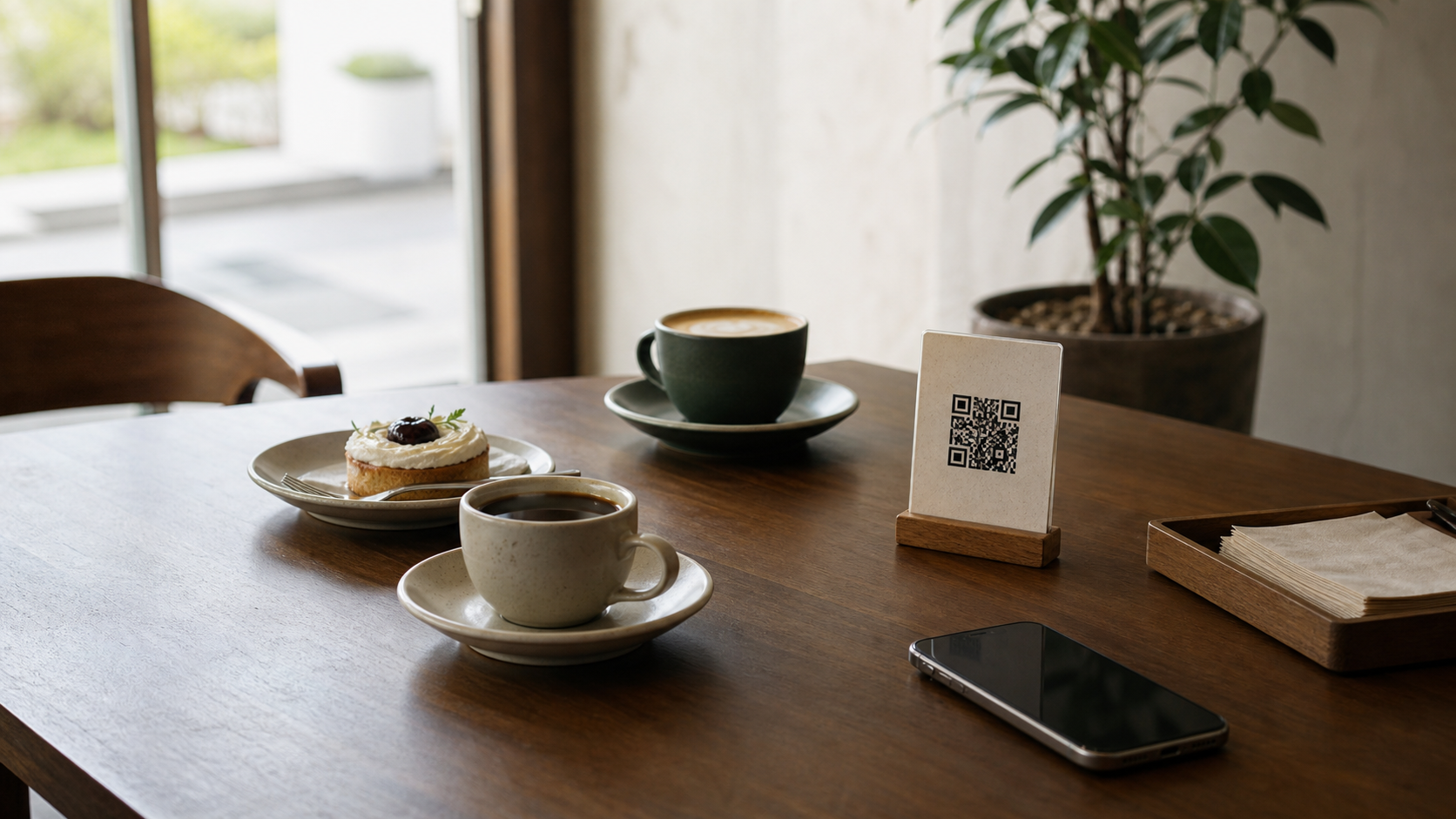
The table has only the QR code. Guests read the menu on their own phone. Orders and staff calls arrive in the owner app, and the store manages order received, preparing, and completed flows.
The goal is not simply "let guests order by themselves."
It is to make order checking easier for owners while interfering less with the guest's table experience. That balance is the core of QR ordering.
Conclusion: QR ordering has to be well designed
Table-order devices, kiosks, and QR ordering were all built to help store operations. But depending on the design, guests may feel convenience or annoyance.
Guests do not dislike new technology itself. They dislike tiny screens, complicated flows, endless add-on prompts, hardware that occupies the table, and situations where help feels hard to get.
The smaller the store, the lighter the ordering system should be. Leaving only a QR code on the table and organizing operations in the app can be a better option.
QR ordering should reduce friction between the store and the guest, not push work onto the guest. JEMPO connects table QR ordering, staff calls, QR menus, and owner-app operations around that standard.
References
- WSJ, "The QR Backlash Has Won. Restaurants Are Ditching Them for Good." 2024. Cites Technomic 2022 and January 2024 survey data.
- NY Post, "Restaurants are ditching 'tacky' QR codes and bringing back paper menus after customer backlash." 2024. Re-reports WSJ/Technomic findings.
- Investopedia, "Why Ordering Food at a Kiosk Can Be Smooth, Easy — And More Expensive Than You Realize." 2025. Cites Technomic 2024 surveys.
- Axios Columbus, "Our readers really dislike QR code menus." 2023. Used for examples of QR-menu complaints.
- Purohit et al., "Deception by Design: A Temporal Dark Patterns Audit of McDonald's Self-Ordering Kiosk Flow." 2026. Used as a reference on kiosk ordering dark patterns.
- Chung and Park, "Enhancing the Usability of Self-service Kiosks for Older Adults." 2021. Used as a reference on kiosk usability for older adults.